Most creators treat their blog and their YouTube channel like two separate jobs. They write a post, then later (or never) make a video on the same topic, using different titles, different wording and no connection between the two. Then they wonder why neither one gets much traction.
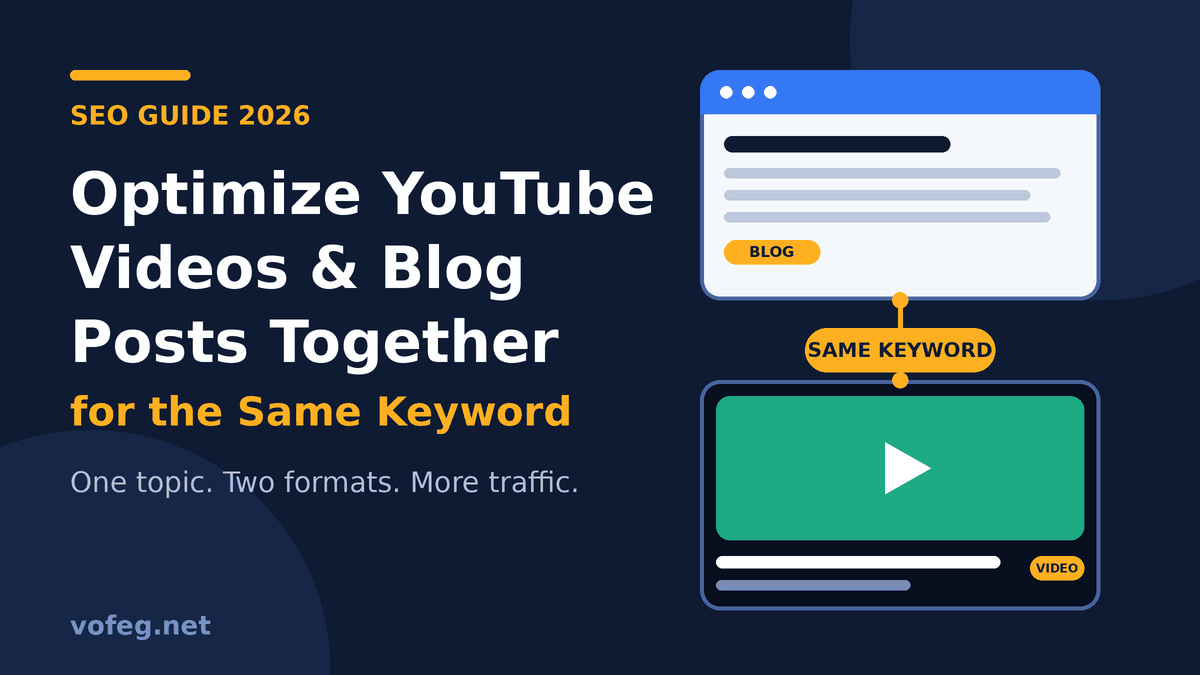
Here is the better way to look at it. When you target one keyword with both a blog post and a video, you give Google and YouTube two chances to show your work for the same search, and you give readers a choice between reading and watching. Done properly, each asset also sends visitors to the other.
This guide walks you through the full process: choosing the keyword, finding the related queries people actually type, optimizing each format, connecting them, and measuring what works.
Why Pair a Blog Post and a Video for One Keyword?
There are four practical reasons.
You take up more space in search. Google can show web pages and videos for the same query. Google’s own documentation notes that videos can appear in Search results, video search, Google Images and Discover, so a good video gives you an extra way in.
You match different habits. Some people want a quick answer they can skim. Others want to watch the steps being done. A post and a video cover both without you inventing a new topic.
Each one supports the other. The video sends viewers to the blog for the written steps, checklists and links. The blog keeps readers longer by embedding the video.
It fits where search is going. People now search with images, voice and text together, and engines try to understand all of it at once. If you want the bigger picture, this explainer on multimodal search and how Google Lens and AI search understand images, text and voice covers why content that is clear in several formats is easier for search systems to understand and surface.
Step 1: Choose One Keyword and Check the Search Intent
Start with a single main keyword that you can answer well in both formats. Good candidates are “how to” topics, tutorials, comparisons and step-by-step processes, because they work naturally as text and as video.
Before you commit, search for the keyword on Google and look at what ranks:
- If Google shows video results or a video carousel, a video has a real chance of ranking.
- If the results are mostly long written guides, the blog post matters more, and the video should support it.
- If people clearly want a quick demonstration, lead with the video and use the post for the details.
Then run the same search on YouTube and note which titles and thumbnails appear. This tells you what viewers expect and what you need to beat.
Step 2: Build a Keyword Cluster, Not Just One Phrase
One keyword is the starting point, but the traffic often comes from the related questions around it. Collect these before you write or record anything:
- Google Autocomplete. Type your keyword and note the suggestions.
- People Also Ask. Copy the questions that appear under the first results.
- YouTube search suggestions. These come from real viewer searches and often differ from Google’s.
- Google Search Console. If you already have a related post, check which queries bring impressions.
- Comments and forums. Reddit, Quora and YouTube comments show how people phrase their problems.
Sort what you find into one main keyword, five to ten supporting questions, and a few related long-tail phrases. Your blog headings and your video chapters can then answer the same questions in the same order.
A Worked Example
To make this concrete, suppose your main keyword is how to add schema markup in WordPress. Here is how the two assets could be set up side by side.
| Element | Blog post | YouTube video |
|---|---|---|
| Title | How to Add Schema Markup in WordPress Without a Plugin (Step-by-Step) | How to Add Schema Markup in WordPress Without a Plugin |
| Main keyword placement | In the title, URL, first paragraph and one subheading | Near the start of the title and in the first two lines of the description |
| Supporting queries | Covered as H2 or H3 headings and FAQs | Covered as chapters with timestamps |
| Extra content | Code snippets, screenshots, checklist | Screen recording, spoken walkthrough |
| Link to the other | Video embedded near the top | Blog link in the first lines of the description and pinned comment |
Supporting queries you could cover in both formats:
- What is schema markup and why does it matter?
- How do I add schema to WordPress manually?
- What is the best schema type for blog posts?
- How do I test my schema markup?
- Does schema markup improve rankings?
- Can I add schema without a plugin?
For the written version of this exact topic, see our guide on adding schema markup in WordPress without a plugin.
Step 3: Optimize the Blog Post
For the post, follow standard on-page SEO, with a few extras for the video.
- Title and URL. Put the main keyword near the beginning of the title and keep the slug short and clean.
- Opening paragraph. Mention the keyword naturally and say what the reader will get. Answer the main question quickly.
- Headings that match real questions. Turn your supporting queries into H2 and H3 headings so each section can be picked up on its own.
- Embed the video high on the page. Place it after the introduction so visitors see it without hunting. Google’s video guidance stresses that videos should be easy to find and not hidden behind complicated actions.
- Add a written summary or transcript. Text around the video helps search engines understand it, and it helps readers who cannot play audio.
- Add an FAQ section. Short, direct answers suit featured snippets and People Also Ask boxes.
- Use original images with descriptive alt text. Our guide to image SEO for bloggers explains file names, alt text and compression.
- Link internally. Connect the post to related guides so authority flows through the site.
Step 4: Optimize the YouTube Video
YouTube works from different signals, so the video needs its own attention.
- Title. Place the main keyword near the start, keep it natural and make sure it matches what the video delivers. YouTube’s own thumbnail and title tips explain that viewers see these first and use them to decide whether to watch.
- Thumbnail. Make it clear and readable on a small phone screen, and keep it consistent with the title. Misleading thumbnails drive people away and hurt watch time.
- Description. Put the keyword and a clear summary in the first two lines, because those lines are the most visible. Then add a link to your blog post, chapters and related links.
- Chapters. Add timestamps that mirror your supporting questions. This makes the video easier to navigate and helps it surface for specific queries.
- Captions. Upload accurate subtitles or review the automatic ones. They improve accessibility and give the platform more text to understand.
- Tags and hashtags. Use a few relevant ones, but treat them as a minor signal compared with the title, thumbnail and viewer engagement.
- Playlist. Add the video to a playlist of related topics to encourage viewers to keep watching.
For more official guidance, read YouTube’s help page on tips to optimize your video.
Step 5: Connect the Two Properly
This is the step most people skip, and it is where the real advantage comes from.
From the video to the blog. Add your post’s link near the top of the description and in a pinned comment, with a clear reason to click, such as “Full written steps and code are here.” Mention the post in the video itself when it is genuinely useful.
From the blog to the video. Embed the video in the post and refer to it in the text, for example “Watch the full walkthrough above.”
Use matching wording. Keep the main keyword and the main supporting phrases consistent across both, without copying the text word for word. The goal is to send the same topical signal from two places.
Add video structured data. Marking up the embedded video with VideoObject schema helps Google understand what it is. Google’s video structured data documentation explains the required properties, and Google’s video SEO best practices cover making videos publicly accessible, using good thumbnails and keeping page titles and descriptions unique. Search Engine Journal also summarized Google’s five video SEO best practices in plain language if you want a quicker read.
Keep the details accurate. Whatever you put in structured data should match the real video, thumbnail and description on the page.
Step 6: Promote Both and Let Them Feed Each Other
Early engagement helps new content get noticed. Share the post and the video together, and use the platform that suits each audience. Pinterest, for example, can send steady visitors to a blog post, and our walkthrough on getting free traffic from Pinterest shows how to set it up. You can also share a short clip of the video with a link to the full post, or quote one tip from the post with a link to the video.
Also keep an eye on how your content will look when it is shared. If you post on LinkedIn, this guide on the LinkedIn Post Inspector helps you fix broken link previews before they cost you clicks.
Step 7: Measure What Is Working
Track each asset where it lives.
- Google Search Console shows impressions, clicks and queries for the blog post. Look for supporting questions you did not plan for, because they tell you what else to cover. Google has also been adding multimodal reporting that separates text searches from image-led searches, which is worth checking in your own property.
- YouTube Analytics shows search traffic, click-through rate, average view duration and where viewers come from. A good thumbnail with weak watch time usually means the title promised something the video did not deliver.
- Your analytics tool shows how many visitors move from video to blog and from blog to video, so you can see whether the connection is working.
Give it time. New content can take several weeks to settle, and rankings may move up and down during Google updates. Review at 30, 60 and 90 days rather than every day.
Common Mistakes to Avoid
- Copying the blog word for word into the video script. The formats are different. Keep the topic the same and adapt the delivery.
- Using different keywords in each place. You split the signal instead of strengthening it.
- Hiding the video at the bottom of the post. If visitors do not see it, it will not get watched.
- Forgetting the link back. A video with no path to your site wastes half the strategy.
- Keyword stuffing. Titles and descriptions should read naturally to a person first.
- Misleading thumbnails or titles. They may earn a click, but they hurt trust and watch time.
- Never updating. Refresh both assets when steps, tools or screenshots change.
A Simple Checklist You Can Reuse
- Pick one main keyword and check the search intent on Google and YouTube.
- Collect five to ten supporting questions from Autocomplete, People Also Ask and Search Console.
- Write the blog post with those questions as headings and an FAQ.
- Record the video with the same questions as chapters.
- Put the keyword near the start of both titles, and in the first lines of the post and the description.
- Embed the video high in the post and add a blog link in the description and pinned comment.
- Add VideoObject schema and accurate captions.
- Share both, then review results after 30, 60 and 90 days.
Frequently Asked Questions
Can I use the same keyword for a blog post and a YouTube video?
Yes, and it is a good idea. They are different platforms with different audiences, so they do not compete with each other. Used together, they strengthen the topic and can send traffic to one another.
Should I publish the blog post or the video first?
There is no fixed rule. Many creators write the post first because it clarifies the structure, then record the video from that outline. Whichever you choose, publish them close together so you can link them from day one.
Does embedding a YouTube video help my blog post rank?
It can help indirectly. An embedded video can make the page more useful, keep visitors on it longer and give search engines extra context, especially with accurate structured data. It will not rescue a weak post, though, so the written content still needs to be strong.
How many keywords should I target in a video description?
Focus on one main keyword and a few closely related phrases, written naturally. Clear, helpful descriptions work better than long lists of keywords.
How long does it take to see results?
It varies by niche and competition. Expect to wait several weeks to see movement, and use Search Console and YouTube Analytics to spot early signs such as rising impressions.
Is this strategy worth it for a small or new site?
Yes. Pairing a post and a video around a specific, lower-competition keyword gives a newer site two ways to be found without needing a huge backlink profile.
Final Thoughts
Optimizing a blog post and a YouTube video for the same keyword is not about doing twice the work. It is about doing one topic thoroughly and presenting it in two formats that support each other. Choose a keyword with a clear intent, collect the related questions, optimize each asset for its own platform, link them together, and measure the results honestly.
If you want to keep building your search visibility, browse more guides in our SEO category, and see how it all fits into the bigger picture in Why Websites Remain Key in the AI Search Era.